
Features
Everything in one place.
Every feature below is in the app today, on every plan.
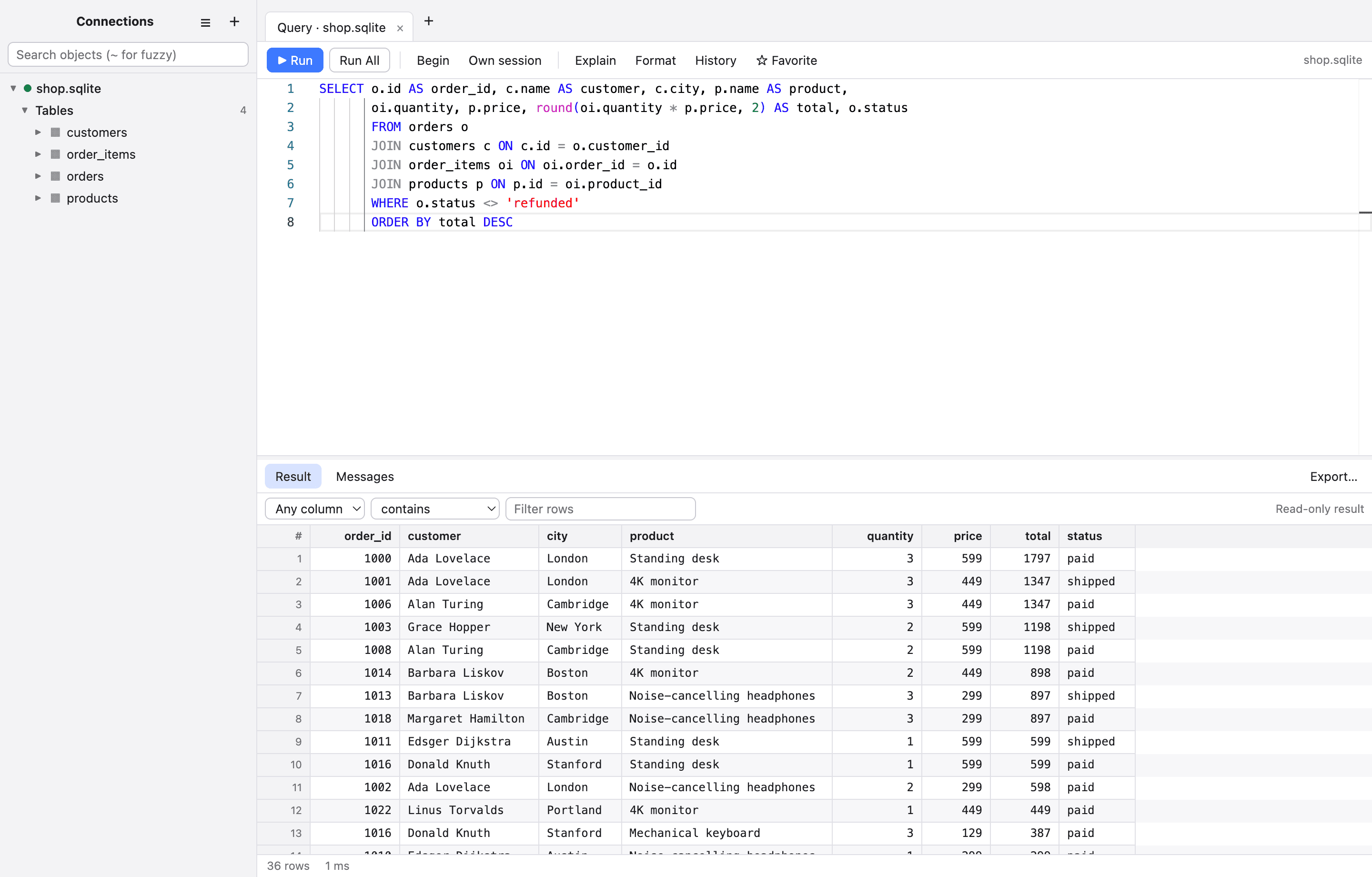
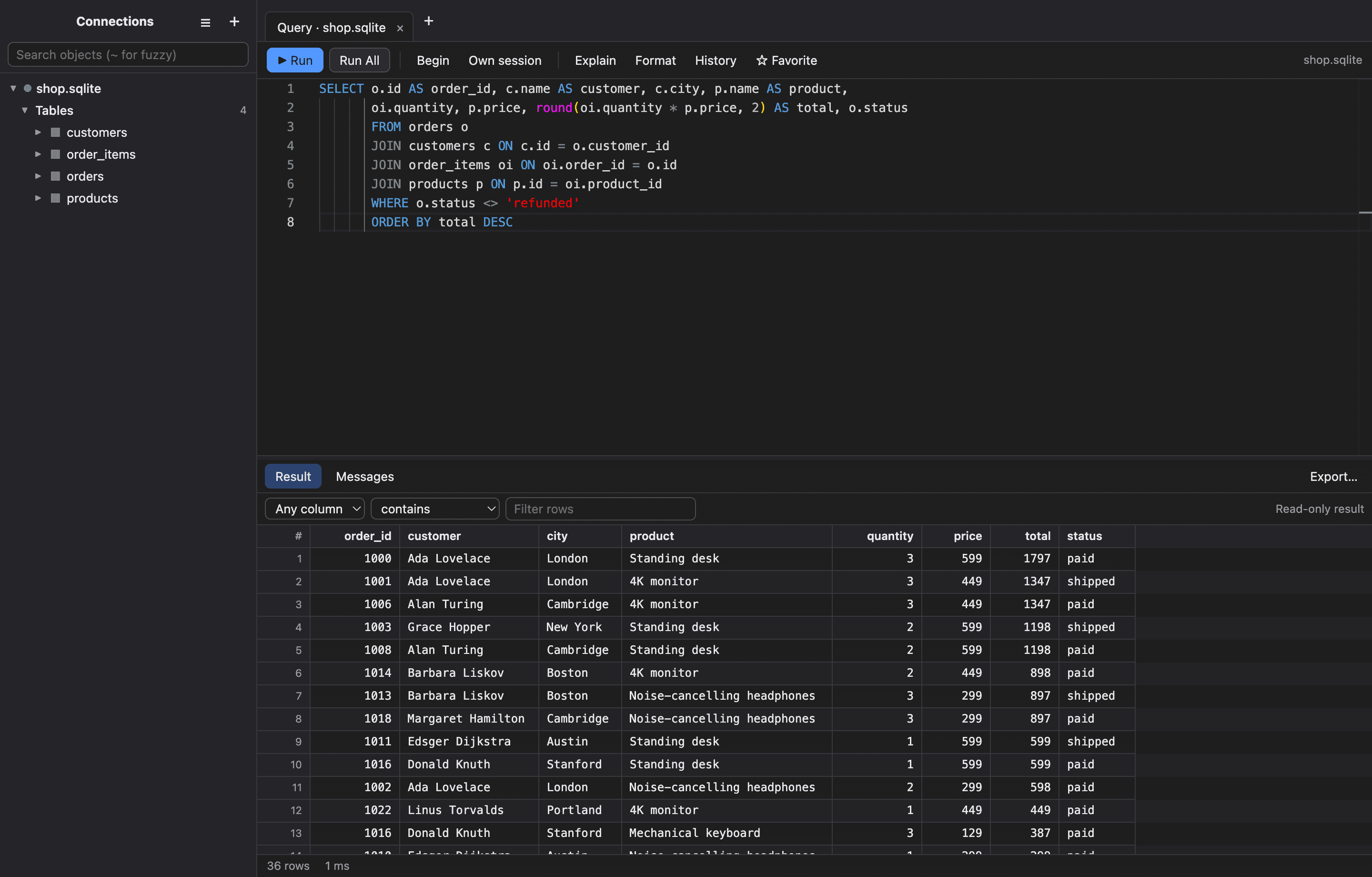
Write and run queries
A focused editor with the things you reach for all day.
Smart completion
Tables, columns (including through aliases), keywords, functions and your favorites.
Run what you mean
Run the selection, the statement at the cursor, or the whole script, and cancel with one key.
Several results at once
One tab per statement, plus a Messages tab with timings, row counts and errors you can click.
Parameters
Write :name, @name, $1 or ? and fill the values in a form. Values are inserted as safely quoted literals.
Format and tidy
One-key formatting with your keyword case, comment toggling, indent, find and replace, multiple cursors.
History and favorites
Search everything you ran per connection. Statements that look like passwords are never saved.
Stored procedures
Right-click a procedure or function for a form with its inputs and outputs.
Query plans
Explain with a cost-scaled tree for PostgreSQL, MySQL, SQL Server, Oracle and SQLite.
Work with the data
A results grid that behaves like a spreadsheet and is careful like a database tool.
Inline editing
Edit, insert, duplicate and delete rows. Changes are staged and shown as SQL before they run.
Selection and copy
Click, shift-click and drag; copy as TSV, CSV, Markdown, JSON, INSERT or UPDATE statements.
Filter and sort
Filter any or one column with twelve operators, and sort with a click.
Follow relationships
Foreign-key cells link to the row they reference.
Big results
Load the next page when a result is cut off, and wide tables draw only the columns you can see.
Import and export
Import CSV, TSV, JSON and NDJSON with column mapping. Export CSV, JSON, SQL, XML, TSV and Markdown, streaming from the database.
Recover from crashes
Edits you had not applied come back as SQL after a crash or restart.
Cell viewer
Pretty-print or minify JSON and edit long text in a proper editor.
Understand and change the schema
See how tables fit together, and change them with the SQL in front of you.
Table designer
Columns, primary keys, auto-increment, defaults, comments, indexes and foreign keys, for new and existing tables.
Structure view
Columns, indexes, foreign keys, triggers and the DDL for any table.
ER diagram
Draw a schema's tables and the foreign keys between them.
Schema compare
Compare two connections and generate the CREATE and ALTER script for the target.
Export as SQL
Save a database or schema as a script, ordered so each table follows the ones it references.
Script as
CREATE, DROP, SELECT, INSERT, UPDATE or DELETE for any object, from the sidebar.
Connect to anything, safely
Every connection says how it is protected, and the defaults are the safe ones.
Paste a connection string
URLs, JDBC, ADO.NET, libpq, Oracle EZConnect and TNS. The form fills itself in.
Connection manager
Groups, colors, search, duplicate, import and export. Bring your connections over from SQLPro Studio.
SSH tunnels
Password, key or agent login, jump hosts, ~/.ssh/config and known_hosts support, and a list of trusted hosts you can review.
Verified TLS
Encryption modes explained in plain words, CA and client certificate files, and a badge on every connection.
Read-only mode
Enforced inside PostgreSQL, MySQL and SQLite, and by statement checks elsewhere.
Production mode
A banner, a confirmation before changes, and typing the database name before a drop or an unfiltered delete.
Automatic reconnect
Dropped connections come back; reads are retried and writes are reported honestly.
Activity and roles
Watch running queries, end a session, and list users and roles.
Private and secure
Your data and credentials stay on your Mac.
No telemetry
The app talks only to the databases and SSH servers you set up.
Keychain storage
Passwords and SSH secrets are encrypted with the macOS Keychain, and never written to logs.
App lock
Lock after idle time or on demand with a password or Touch ID. While locked, nothing can be read or changed.
Encrypted exports
Connection files that include passwords are protected with a passphrase you choose.
History controls
Keep history, clear it on quit, or never save it.
Signed and notarized
Apple has scanned every release, and the app checks and sandboxes everything it renders.